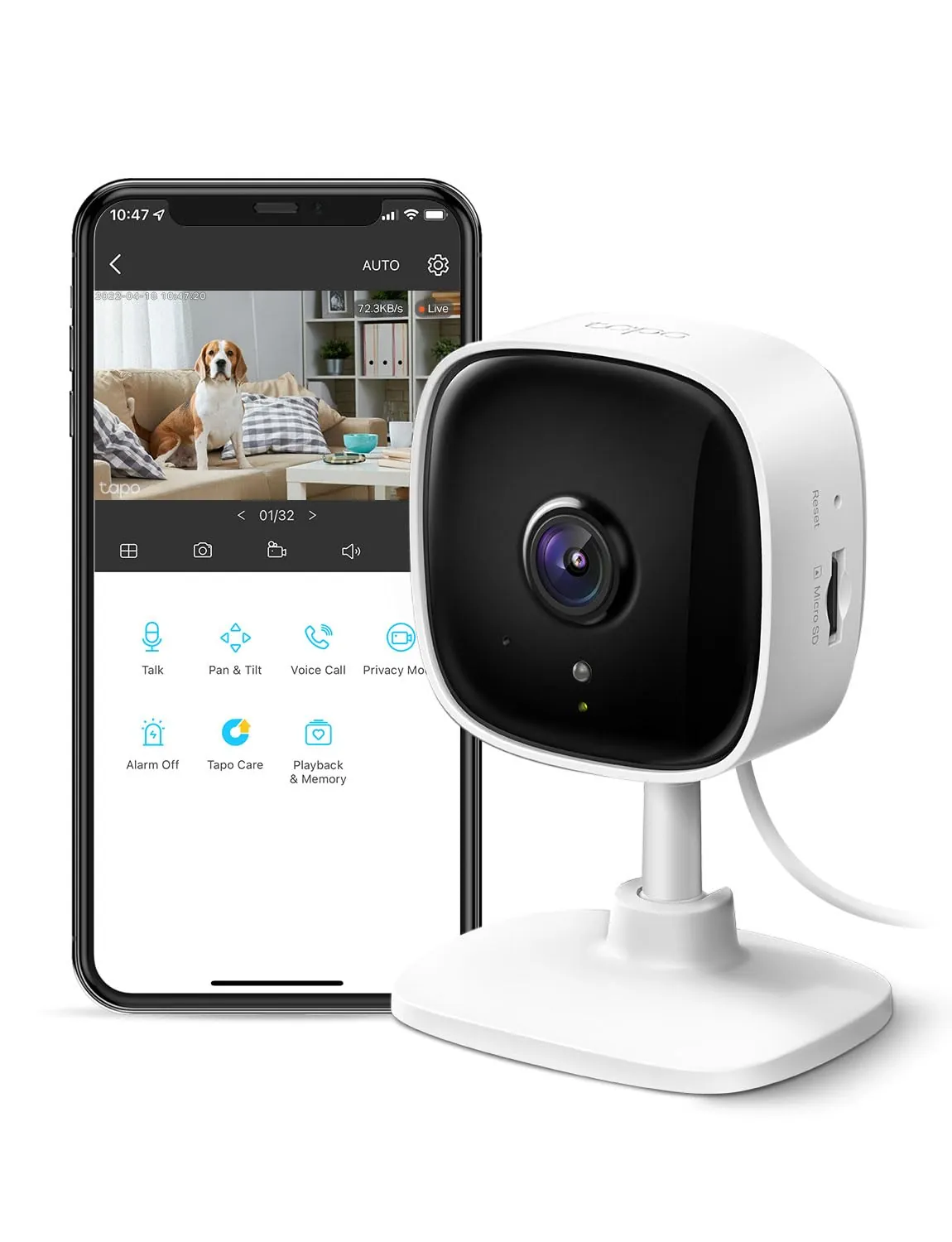
#1 Overall Winner
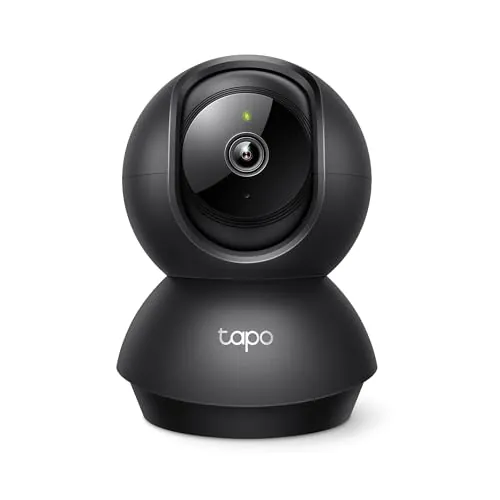
Tapo 1080P Indoor Pan/Tilt Wired Security Camera (C201)
- Pan/tilt coverage for wide room viewing (360° horizontal and 114° vertical stated).
Comparison
The Tapo C201 and TP-Link RE550 address different smart-home needs: the C201 is a 1080p indoor pan/tilt security camera for monitoring rooms, while the RE550 is a dual-band Wi‑Fi range extender designed to reduce dead zones. If you want alerts, night vision, and local video recording, the C201 is the relevant pick. If your main issue is weak Wi‑Fi coverage for multiple devices, the RE550 is built for that job.
#1 Overall Winner
Contender
Choose the Tapo C201 if you want an affordable indoor pan/tilt camera with alerts, night vision, and local recording via microSD. Choose the TP-Link RE550 if your priority is extending Wi‑Fi coverage (and potentially adding a wired connection via Ethernet or AP mode). If you’re seeing camera dropouts because of weak signal, the RE550 can help, but it won’t replace the need for a camera.
Overall winner
Depends on your needs
| Feature | Tapo 1080P Indoor Pan/Tilt Wired Security Camera (C201) | TP-Link AC1900 WiFi Range Extender RE550 | Winner |
|---|---|---|---|
| Product type | Indoor pan/tilt security camera | Wi‑Fi range extender / repeater | Depends |
| Primary use case | Indoor monitoring (baby/pet/home) | Eliminate Wi‑Fi dead zones | Depends |
| Video capability | 1080p with night vision | Not applicable | Tapo 1080P Indoor Pan/Tilt Wired Security Camera (C201) |
| Motion/alert features | Motion/person/baby-cry alerts (listed) | Not applicable | Tapo 1080P Indoor Pan/Tilt Wired Security Camera (C201) |
| Two-way communication | Two-way audio + siren | Not applicable | Tapo 1080P Indoor Pan/Tilt Wired Security Camera (C201) |
| Local storage | microSD up to 512GB (not included) | None | Tapo 1080P Indoor Pan/Tilt Wired Security Camera (C201) |
| Wired Ethernet option | No Ethernet listed | Gigabit Ethernet port | TP-Link AC1900 WiFi Range Extender RE550 |
| Network bands / Wi‑Fi focus | 2.4GHz Wi‑Fi connection (listed) | Dual-band extender (2.4GHz/5GHz) | TP-Link AC1900 WiFi Range Extender RE550 |
| Smart assistant compatibility | Works with Alexa and Google Assistant (listed) | Not listed | Tapo 1080P Indoor Pan/Tilt Wired Security Camera (C201) |
| App experience (general) | Tapo app; commonly described as easy | Tether app + web UI; commonly described as easy | Tie |
| Connectivity stability (buyer feedback) | Mixed; some frequent disconnections reported | Generally good; some mesh/compatibility issues reported | TP-Link AC1900 WiFi Range Extender RE550 |
| Placement flexibility | Shelf placement or wall mount; can be knocked if not secured | Plugs into outlet; placement depends on outlet location | Depends |
| Ongoing costs | Optional cloud subscription; microSD card extra | No subscription mentioned | TP-Link AC1900 WiFi Range Extender RE550 |
| Value perception (reviews) | Often described as great value for a camera | Often described as worth the price for coverage fixes | Tie |
In everyday home use, these products complement each other more than they compete. The Tapo C201 is about visibility and alerts inside the home—checking a room, seeing what pets are doing, or getting notified when motion is detected. The TP-Link RE550 is about connectivity—helping devices stay online in rooms where the router signal is weak. If you’re building a more reliable smart home, the camera improves awareness, while the extender can help the network support cameras, streaming, and other connected devices in harder-to-reach areas.
Performance depends on what you’re measuring. For indoor monitoring performance, the Tapo C201 is the clear choice: it offers 1080p video, pan/tilt coverage for scanning a room, and night vision up to 30 ft (stated), with alerts for motion/person and baby crying (as listed). For network performance in dead zones, the TP-Link RE550 is purpose-built, with dual-band support and strong user feedback around extending usable signal. Keep in mind the RE550’s own guidance that extenders improve coverage and reliability rather than increasing speeds beyond the source connection.
Reliability feedback is mixed for both products, but in different ways. For the Tapo C201, customers widely praise video quality and features, yet connectivity and reliability are described as mixed overall, with some reporting frequent disconnections or the camera stopping. For the TP-Link RE550, many reviews emphasize improved stability and fewer disconnects compared with older extenders, though some users still report compatibility or mesh/roaming behavior issues depending on their router environment. If your household is sensitive to downtime, prioritize strong Wi‑Fi placement and test the setup early.
Only the Tapo C201 is a security/monitoring device. It provides indoor video, night vision, pan/tilt viewing, two-way audio, and a siren, plus detection-based notifications (including person and baby-cry detection as listed). The TP-Link RE550 doesn’t add monitoring features, but it can indirectly improve a security setup by helping Wi‑Fi cameras and other connected devices maintain a steadier connection in weak-signal parts of the home.
For security monitoring, the Tapo C201 is the functional option: indoor 1080p video, night vision up to 30 ft (stated), pan/tilt coverage, and alert types including motion/person and baby crying (as listed). Two-way audio and a siren add basic interaction and deterrence. The main real-world caveats from buyer feedback are mixed connectivity reliability for some setups and a noticeable delay when using the talk feature. The RE550 does not monitor by itself, but stronger Wi‑Fi coverage can help cameras maintain a steadier live view and notification delivery.
No specific safety incidents or hazards are described in the provided reviews, so safety considerations are mostly about sensible use. For the Tapo C201, safe placement matters: use the included mounting option if the camera could be knocked over, keep cables tidy to avoid trips, and avoid placing it where it could be pulled down by pets or children. For the RE550, the main safety consideration is proper outlet use: ensure adequate ventilation around the unit, avoid overloaded power strips, and place it where it won’t be bumped or accidentally unplugged.
Comfort benefits are indirect. The Tapo C201 can improve peace of mind by letting you check on a baby, pets, or a family member and by sending notifications when something changes in the room. The RE550 can reduce day-to-day frustration by improving Wi‑Fi access in bedrooms, offices, patios, or other weak-signal areas, which can make streaming, calls, and smart-device control feel more consistent. Which matters more depends on whether your household stress comes from “not seeing what’s happening” or “not staying connected.”
Both products are commonly described as easy to set up, but their learning curves differ. The Tapo C201 setup is app-led and then becomes a daily-use product where you’ll interact with live view, pan/tilt controls, and notifications; some users mention initial Wi‑Fi setup can be finicky when moving cameras between networks. The RE550 often sets up quickly via WPS or the Tether app, and after placement is optimized it tends to be “set and forget,” with occasional adjustments if you change routers or network names.
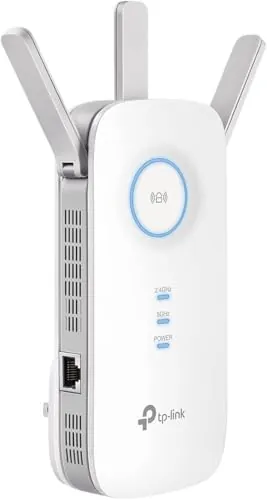
The Tapo C201 is designed to sit in a room and look at things: its pan/tilt form factor and compact size help with flexible viewing angles, and it can be wall-mounted. The RE550 is designed around outlet placement, with a larger wall-plug footprint and external antennas; it needs to be positioned where it still receives a strong signal from your router (or use Ethernet in AP mode). Visually, the camera is more “in-room,” while the extender is more “infrastructure,” living on a hallway or living-room outlet.
“Capacity” means different things here. The Tapo C201’s practical capacity is its storage option: it supports microSD cards up to 512GB (stated, not included) for continuous recording, which can reduce reliance on cloud storage. The TP-Link RE550’s capacity relates to network coverage and device count (coverage and device figures are listed in the product details), plus the flexibility of its Gigabit Ethernet port for a single wired device (or more via an external switch).
The Tapo C201 is space-efficient on a shelf or dresser and can also be wall-mounted to free up surface space. The RE550 doesn’t take floor or countertop space, but it does occupy a wall outlet and may affect nearby socket access depending on your outlet layout. In very tight spaces, wall-mounting the camera can be tidy, while the extender’s best location may be dictated by the home’s wiring and where outlets exist between the router and dead zone.
Noise is usually not a deciding factor for either category based on the provided data. The Tapo C201 can produce sound through its speaker (two-way audio and siren), but no ongoing operating-noise details are provided. The TP-Link RE550 is a networking device with no noise notes in the listing or reviews provided.
Installation is straightforward for both, but the steps differ. The Tapo C201 needs a nearby power outlet and either stable shelf placement or a wall mount using the included mounting hardware; once powered, it’s set up through the app on 2.4GHz Wi‑Fi. The RE550 installs by plugging into an outlet, pairing via WPS or the Tether app, and then finding a good location between the router and the weak-signal area. If you plan to use AP mode, you’ll also need an Ethernet run to the extender location.
Neither product is positioned as premium hardware in the provided data, but both get generally positive comments about being well made for the price. Tapo C201 owners frequently focus more on video quality than the physical build, though one review notes it can be easy to knock over when used on a surface rather than mounted. RE550 reviews mention it feels well constructed and uses three external antennas; as an outlet device, physical fit and outlet placement can matter more than materials.
Long-term durability is hard to confirm from the provided information, but there are a few signals. Some Tapo C201 buyers mention owning multiple units and being satisfied, while others report reliability issues that could affect long-term confidence. RE550 reviewers include comments about solid construction and replacing older extenders, suggesting decent day-to-day resilience, but networking devices can still be sensitive to heat, placement, and power cycling. For either product, stable placement, surge protection, and keeping firmware updated can help reduce issues.
The TP-Link RE550 tends to be lower-maintenance once installed: the key upkeep is occasional app checks, firmware updates, and repositioning if you change your router or notice a weak backhaul. The Tapo C201 may require more ongoing attention depending on how you use it—managing microSD storage (if used), confirming notification settings, and troubleshooting Wi‑Fi if disconnects occur. If you want a “set it and forget it” experience, the extender usually fits that pattern better, while the camera is more interactive by nature.
The Tapo C201 is relatively portable for a camera: it’s small enough to move between rooms and can be packed for temporary setups, though it still needs power and Wi‑Fi setup at the new location. The TP-Link RE550 is also easy to relocate because it plugs into an outlet, but moving it often requires re-testing placement to ensure it still has a strong connection back to the router. For quick temporary setups, both can work, but the camera may take more app reconfiguration if networks change.
The Tapo C201’s features focus on monitoring: pan/tilt viewing, motion/person/baby-cry detection alerts, two-way audio, a siren, night vision, and storage choices (microSD or optional cloud). The TP-Link RE550’s features focus on networking: dual-band extension, three external antennas, EasyMesh compatibility, a Gigabit Ethernet port, and Access Point mode. If you want alerts and recordings, the camera’s feature set is more relevant; if you want better coverage and a wired port where you need it, the extender’s feature set is the better fit.
Both devices rely on apps for everyday control. Tapo C201 owners often describe the Tapo app as straightforward, with useful controls like live view, pan/tilt adjustment, and notifications; a repeated gripe is talk-back audio lag rather than app complexity. The RE550 uses the TP-Link Tether app and can also be configured via a browser, and users mention the app walkthrough makes setup approachable. The best experience for either device depends on stable Wi‑Fi and keeping firmware updated through the provided tools.
From a smart-home perspective, the Tapo C201 is a direct smart device: it integrates with Amazon Alexa and Google Assistant for viewing the live stream on supported screens, and it relies on app notifications and detection events. The RE550 is smart-home enabling rather than smart-home facing—its main benefit is improving Wi‑Fi coverage for smart devices that struggle to stay connected. If you want a device that participates in monitoring and alerts, the camera fits better; if you want fewer dropouts across multiple smart devices, the extender is the practical network upgrade.
The Tapo C201 is a smart-home endpoint with assistant support (Alexa and Google Assistant listed) and app notifications that can be useful in routines built around presence and monitoring. The RE550 is a smart-home helper: it doesn’t add voice assistant control in the provided information, but it can improve the experience of smart cameras, doorbells, and other Wi‑Fi devices by improving coverage in weak areas. If your goal is “smarter automation,” start with the camera; if your goal is “fewer offline devices,” start with the extender.
Automation is more relevant to the Tapo C201 because it can trigger notifications based on detected events (motion/person and baby crying are listed), which can support hands-off monitoring. The RE550’s “automation” is more about network behavior—helping devices stay connected as you move around the home and providing broader coverage—rather than trigger-based smart-home routines. If you want event-driven alerts, the camera is stronger; if you want fewer network dropouts, the extender helps.
The Tapo C201 connects over 2.4GHz Wi‑Fi (listed), and while many users report easy setup, aggregated feedback also notes frequent disconnections for some households. The TP-Link RE550 is designed specifically for connectivity, using dual-band Wi‑Fi extension and offering a Gigabit Ethernet port for wired devices or AP mode; reviews frequently highlight improved stability compared with older extenders, with some complaints tied to mesh compatibility expectations. If connectivity is the core issue you’re trying to fix, the RE550 is the more targeted tool.
There isn’t enough detailed energy-use data provided for either product to compare power efficiency directly. In practical “operating efficiency,” the Tapo C201 can be efficient if you prefer local recording to a microSD card to avoid cloud dependency, and its app-led controls make quick check-ins easy. The RE550 can be efficient at solving connectivity problems without replacing a router, and AP mode can be an efficient way to improve performance when an Ethernet backhaul is available.
Privacy considerations are more relevant to the Tapo C201 because it captures indoor video and audio. It offers local storage via microSD and also an optional cloud plan, so buyers should choose the storage method that matches their comfort level and account/security practices. The RE550 is a network device; the listing references security-focused commitments and includes features like access control and cloud management in the Tether app, but detailed data-handling specifics aren’t provided here. For either product, use strong passwords and keep firmware up to date.
Both products are priced aggressively and get strong “worth it” feedback, but value depends on the problem you’re solving. The Tapo C201 offers a lot of monitoring functionality for the cost—1080p video, pan/tilt, alerts, and optional local recording—though you may need to budget for a compatible microSD card and accept that some users report connectivity hiccups or talk lag. The RE550 can be excellent value when it fixes real dead zones without replacing a router, especially if you can use the Ethernet port or AP mode, but it can’t defy the limits of extender throughput.
Both products come from the TP-Link family of brands (Tapo is TP-Link’s smart-home line and RE550 is TP-Link). In the provided data, both have very large review counts and generally positive sentiment, which supports mainstream adoption. The RE550 listing also includes references to security-focused initiatives and regulatory certifications (CE and RoHS stated). For brand trust in practice, buyers should weigh clarity of setup guidance, firmware update experience, and how well each device performs in their specific home network environment.
The Tapo C201 has extremely high buyer sentiment overall, with repeated praise for clear picture quality, strong pan/tilt coverage, useful motion alerts, and excellent value. The most common negatives are mixed connectivity reliability and some delay in two-way talk. The TP-Link RE550 also has strong satisfaction at scale, with many users reporting it solved weak-signal areas and was easy to set up; complaints tend to focus on mesh compatibility expectations and the reality that extenders don’t always preserve full speeds. If you want a highly liked budget camera, the C201 stands out; if you want a widely used coverage fix, the RE550 fits.
This comparison doesn’t produce a single overall winner because the Tapo C201 and TP-Link RE550 are designed for different jobs. The Tapo C201 is the better pick when you need indoor monitoring: it combines pan/tilt coverage, 1080p video, night vision, two-way audio, and storage options, with very strong buyer satisfaction. Its main limitation is that some users report Wi‑Fi disconnections and a lag in talk audio.
The TP-Link RE550 is the better pick when you need to fix Wi‑Fi dead zones: it extends coverage, adds a Gigabit Ethernet port, and supports AP mode, with generally positive feedback on setup and stability. Its main limitation is the inherent extender trade-off that throughput can drop versus the source signal, plus occasional compatibility/roaming complaints.

Overall winner
Depends on your needs
They solve different problems. The Tapo C201 is for indoor video monitoring with pan/tilt, alerts, night vision, and optional local recording. The TP-Link RE550 is for extending Wi‑Fi coverage into weak-signal areas and can add wired connectivity through its Gigabit Ethernet port. Choose based on whether you need monitoring or better Wi‑Fi reach.
Potentially, yes. A range extender can help when a camera is placed in a spot with weak Wi‑Fi coverage. However, extender results depend on placement and the quality of the connection back to the router. The RE550 is designed to improve coverage and reliability, but it doesn’t guarantee higher speeds than the source network.
The Tapo C201 is the relevant choice because it’s an indoor pan/tilt camera with 1080p video, night vision, two-way audio, and alerts that can include baby-cry detection (as listed). The TP-Link RE550 doesn’t provide monitoring features; it only improves Wi‑Fi coverage for connected devices.
The Tapo C201 can be used with local recording to a microSD card (not included), and it also offers an optional cloud subscription for features like longer video history and additional benefits listed with the plan. The TP-Link RE550 does not mention subscription requirements in the provided data.
Both are commonly described as easy to set up, but the setup steps are different. The Tapo C201 requires connecting to 2.4GHz Wi‑Fi and configuring the camera in the app. The RE550 can be paired using WPS or set up in the Tether app, and some users prefer the web interface for extra options.
Buyer feedback is mixed for both, but in different ways. Some Tapo C201 owners report disconnections or the camera stopping, while many others say it works well once set up. RE550 reviews often praise stable connections versus older extenders, though some mention mesh compatibility or roaming behavior issues depending on the network.
Local video storage applies to the Tapo C201, which supports continuous recording to a microSD card up to 512GB (card not included). The TP-Link RE550 is a networking device and doesn’t store video; its key “local” benefit is providing Wi‑Fi coverage extension and a Gigabit Ethernet port for wired connectivity.
It depends on the problem you’re solving. The Tapo C201 is compact and can cover a room with pan/tilt, making it practical for apartments needing indoor monitoring. The RE550 can still help in small homes with weak-signal spots (like a bedroom far from the router), but it’s most valuable when coverage is the limiting factor.
Check our rankings and expert guides to find the best home lifestyle products for your goals.