HouseholdRanker
Menu
TP-Link RE315 vs Tapo C100

Comparison

TP-Link RE315 vs Tapo C100

The TP-Link RE315 and TP-Link Tapo C100 target different home needs: the RE315 is a budget Wi‑Fi range extender for reducing dead zones, while the C100 is an indoor 1080p security camera for monitoring rooms, pets, or a nursery. The RE315 stands out for easy setup and strong value in coverage expansion, while the C100 adds motion alerts, night vision, and two-way audio but has more mixed connectivity feedback.

Expert tested Data driven Unbiased reviews Updated 18 May 2026
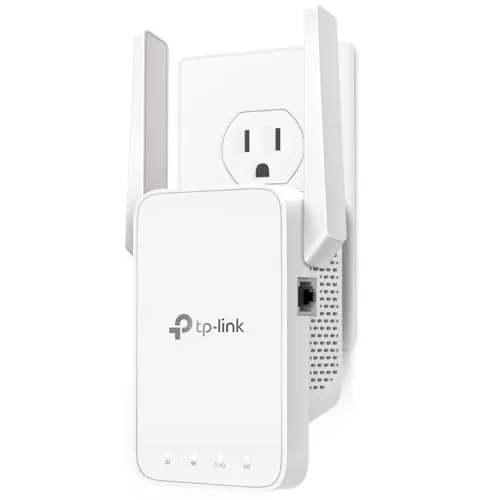
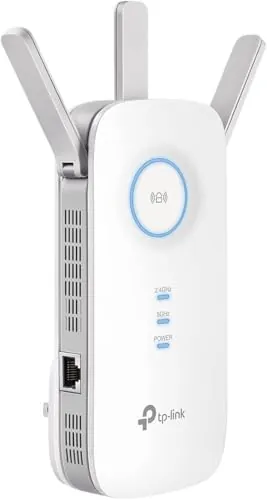
TP-Link AC1200 WiFi Extender (RE315)

#1 Overall Winner

TP-Link AC1200 WiFi Extender (RE315)

84/100
  • Very affordable way to extend Wi‑Fi coverage into dead zones.
View review
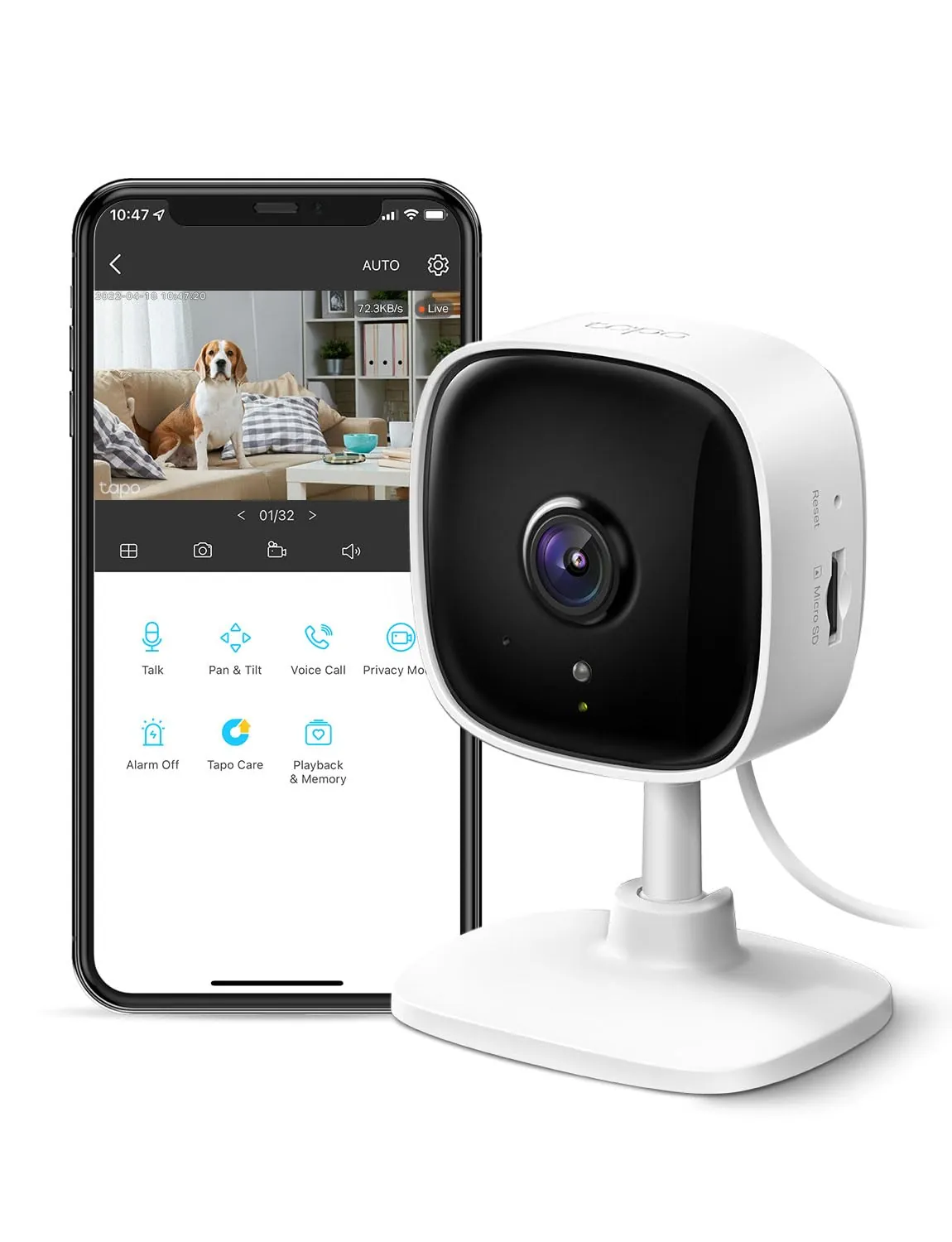
TP-Link Tapo 1080P Indoor Security Camera (Tapo C100)

Contender

TP-Link Tapo 1080P Indoor Security Camera (Tapo C100)

81/100
  • Clear 1080p video for indoor monitoring (nursery, pets, rooms).
View review

Quick verdict

Pick the TP-Link RE315 if you want a low-cost way to reduce Wi‑Fi dead zones for work, streaming, or smart devices, and you like the option of a nearby Ethernet port. Choose the Tapo C100 if you need indoor video monitoring for a nursery, pets, or a room, and want local microSD recording or optional cloud storage—just be prepared for some mixed Wi‑Fi reliability feedback.

Overall winner

Depends on your needs

At-a-glance comparison

Feature TP-Link AC1200 WiFi Extender (RE315) TP-Link Tapo 1080P Indoor Security Camera (Tapo C100) Winner
Product type Wi‑Fi range extender Indoor security camera Depends
Primary job Expand Wi‑Fi coverage Record/monitor a room Depends
Wireless bands 2.4GHz + 5GHz (dual band) 2.4GHz Wi‑Fi TP-Link AC1200 WiFi Extender (RE315)
Ethernet option 1 Ethernet port (100 Mbps) Not listed TP-Link AC1200 WiFi Extender (RE315)
Video / night vision Not applicable 1080p video + night vision (up to 30 ft) TP-Link Tapo 1080P Indoor Security Camera (Tapo C100)
Two-way audio / siren Not applicable Two-way audio + siren TP-Link Tapo 1080P Indoor Security Camera (Tapo C100)
Smart assistant support Not smart-home compatible (listed) Works with Alexa & Google Assistant TP-Link Tapo 1080P Indoor Security Camera (Tapo C100)
App and controls TP‑Link Tether app (cloud management, LED control, access control) Tapo app (alerts, controls; cloud option) Tie
Coverage / field of view Covers up to ~1500–1600 sq ft (listed) 110° field of view Depends
Storage Not applicable microSD (up to 512GB) or cloud subscription TP-Link Tapo 1080P Indoor Security Camera (Tapo C100)
Reliability feedback trend Mostly stable; some drops/slowdowns reported Mixed; some Wi‑Fi dropouts and occasional clip interruptions reported TP-Link AC1200 WiFi Extender (RE315)
Ease of setup (buyer sentiment) Often “easy in minutes” with placement help Often “easy in minutes” Tie
Best for renters/budget upgrades Very low-cost network improvement Very low-cost indoor monitoring Tie
Indoor/outdoor suitability Indoor networking device Indoor camera (not water resistant) Tie

Detailed comparison

Home Use

For everyday home use, the RE315 is about making your existing network more usable in “problem rooms,” such as bedrooms, basements, garages, or home offices. The Tapo C100 is more about awareness and peace of mind—checking on a sleeping baby, a pet at home, or activity in a room while you’re away. If you’re deciding based on daily impact, the RE315 improves how your devices connect, while the C100 improves what you can see and respond to inside the home.

Performance

In core performance, the RE315 tends to deliver what most buyers want from a budget extender: stronger coverage and fewer dead zones, with generally positive feedback on stability for streaming, studying, and multi-device households. Results still depend heavily on placement, and some users report drops or slowdowns, especially when used in access point mode.

The Tapo C100 performs well when connected, with strong feedback on sharp video, useful motion alerts, and effective night vision. Its performance is more likely to feel inconsistent if your Wi‑Fi is crowded or if the camera struggles to stay connected, as some reviewers note.

Reliability

Both products have generally positive overall sentiment, but with specific reliability caveats. With the RE315, many users report stable day-to-day operation after setup, yet there are recurring mentions of connection drops, slow performance in some environments, and occasional inconsistency—particularly when used in access point mode with Ethernet involved.

With the Tapo C100, many buyers report solid performance, clear video, and dependable monitoring, but the aggregated feedback includes users who find it unreliable or unable to stay connected to Wi‑Fi. A few reviews also mention brief recording interruptions during playback, which can matter if you need continuous coverage.

Security Monitoring

Only the Tapo C100 is a true security/monitoring product, with 1080p video, night vision, motion alerts, and two-way audio plus a siren. The RE315 doesn’t monitor anything directly, but it can indirectly support monitoring by improving Wi‑Fi coverage in areas where indoor cameras or other connected devices struggle to stay online. If you’re trying to secure or supervise a room, the camera is the functional choice; if your cameras drop offline due to weak signal, the extender may be the missing piece.

Security Monitoring Analysis

The Tapo C100 is purpose-built for indoor monitoring, combining 1080p video, night vision, motion alerts, and two-way audio. Reviews frequently praise clear picture quality and useful detection, making it suitable for a nursery, pet area, or general room coverage. The main security downside in the provided feedback is inconsistency: some buyers report Wi‑Fi dropouts or brief recording interruptions, which can undermine trust if you rely on it for continuous monitoring.

The RE315 isn’t a monitoring device, but it can support security gear by improving Wi‑Fi reach where cameras or smart devices otherwise struggle.

TP-Link AC1200 WiFi Extender (RE315)

Pros

  • Very affordable way to extend Wi‑Fi coverage into dead zones.
  • Quick setup with a guided experience via the TP‑Link Tether app.
  • Dual-band Wi‑Fi (2.4GHz and 5GHz) for better device compatibility and placement flexibility.
  • Ethernet port enables a wired connection for a TV, PC, or streaming device where Wi‑Fi is weak.
  • EasyMesh/OneMesh-style expansion support for a more seamless network name experience (with compatible gear).
  • Compact, wall-plug design with external antennas to help aim coverage.
  • Generally positive buyer feedback on coverage improvement and day-to-day stability.

Cons

  • As a range extender, it’s designed to improve coverage—not guarantee faster speeds everywhere.
  • Some buyers report connection drops or slower performance depending on placement and environment.
  • Access point mode can be inconsistent for some users, with occasional wired/Ethernet dropouts reported.
  • Single Ethernet port, and it’s limited to Fast Ethernet (100 Mbps).
  • Physical width/antennas may block neighboring outlets on crowded wall sockets.
  • Not described as smart-home compatible, so don’t expect voice assistant features.
TP-Link AC1200 WiFi Extender (RE315)

TP-Link Tapo 1080P Indoor Security Camera (Tapo C100)

Pros

  • Clear 1080p video for indoor monitoring (nursery, pets, rooms).
  • Night vision up to 30 ft for after-dark visibility.
  • Motion detection with push notifications; reviews mention sensitive/adjustable detection.
  • Two-way audio plus a built-in siren for communication and deterrence.
  • Flexible storage: microSD recording (up to 512GB supported) or optional cloud subscription.
  • Works with Alexa and Google Assistant for viewing on compatible screens.
  • Generally easy setup and an app many buyers describe as user-friendly.

Cons

  • Connectivity feedback is mixed; some users report the camera doesn’t stay connected to Wi‑Fi.
  • Uses 2.4GHz Wi‑Fi (no 5GHz mentioned), which may matter in congested areas.
  • Some reports of recording interruptions or brief cut-offs during playback.
  • Not water resistant for indoor use only (despite confusing listing details).
  • Cloud storage features require an optional subscription, and pricing can add up across multiple cameras.
  • Night vision can reflect off window glass, limiting usefulness for through-window outdoor viewing.
TP-Link Tapo 1080P Indoor Security Camera (Tapo C100)

Final verdict

The better choice depends on what you’re trying to improve at home, but the TP-Link RE315 is the more broadly useful pick for most households dealing with Wi‑Fi dead zones. Its main strength is straightforward coverage expansion with strong value and easy setup, while its main limitation is that performance can vary by placement and some users report drops or access point mode inconsistency.

The Tapo C100 is the clear winner for indoor monitoring, thanks to 1080p video, night vision, motion alerts, and two-way audio with flexible storage options. Its main limitation is mixed reliability/connectivity feedback, plus occasional recording interruptions for some users. If monitoring matters most, pick the camera; if connectivity is the root issue, start with the extender.

Overall winner

Depends on your needs

Frequently asked questions

Which is better, TP-Link RE315 or Tapo C100?

They solve different problems. The TP-Link RE315 is for extending Wi‑Fi coverage into weak-signal areas and adding a nearby Ethernet option. The Tapo C100 is for indoor monitoring with 1080p video, motion alerts, night vision, and two-way audio. Choose based on whether your priority is better Wi‑Fi reach or indoor security/baby/pet monitoring.

Will the TP-Link RE315 make my internet faster?

Not necessarily. The RE315 is designed to improve coverage and signal reliability in areas your router can’t reach well. In some setups, a stronger signal can feel faster or more stable, but extenders can also reduce throughput depending on placement and network conditions. Real-world results vary, so placement and distance from the router matter.

Does the Tapo C100 require a monthly subscription?

No. The Tapo C100 can record continuously to a microSD card (not included) as an alternative to cloud storage. TP-Link also offers an optional Tapo Care cloud subscription for added benefits and video history, but it’s not required for basic monitoring. If you buy multiple cameras, subscription costs can increase per device.

Which product is easier to set up?

Both are commonly described as quick to set up. The RE315 is often praised for one-touch style setup and guided placement indicators in the Tether app. The Tapo C100 is also frequently described as set up in minutes with a user-friendly app. If you’re adding it to an existing network, the extender’s placement can take extra trial and error.

Which is better for a home office?

The RE315 is typically the more direct home-office upgrade if your problem is unstable Wi‑Fi in the workspace. It can improve coverage and also provides an Ethernet port for a more consistent wired connection to a PC or dock. The Tapo C100 can be useful for monitoring a room, but it won’t improve your internet connection.

Can the Tapo C100 work with Alexa or Google Home?

Yes. The Tapo C100 is listed as compatible with Amazon Alexa and Google Assistant, allowing you to view the live stream on supported smart displays or casting devices with a screen. Voice assistant compatibility is a key difference versus the RE315, which is not listed as smart-home compatible.

What are the biggest reliability concerns to know about?

For the RE315, buyer feedback is mostly positive, but some users mention connection drops, slower performance, or inconsistency in access point mode. For the Tapo C100, reviews are also largely positive, but there are mixed reports about Wi‑Fi stability and occasional recording interruptions during playback. Your router quality and device placement can influence both.

Which is better for small spaces like apartments?

Both are compact and budget-friendly. The RE315 fits well for apartments with a bedroom or office dead zone where the router signal fades. The Tapo C100 is a straightforward indoor camera for a living room, nursery, or entry area. If you’re choosing only one, decide whether you need better connectivity or indoor monitoring.

Related comparisons

Still not sure which one to choose?

Check our rankings and expert guides to find the best home lifestyle products for your goals.

View all rankings