#1 Overall Winner
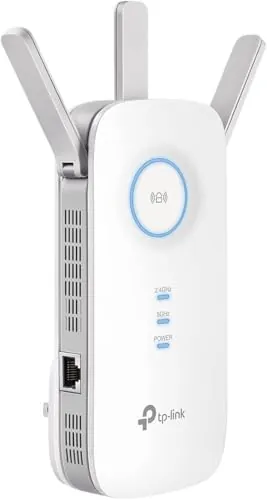
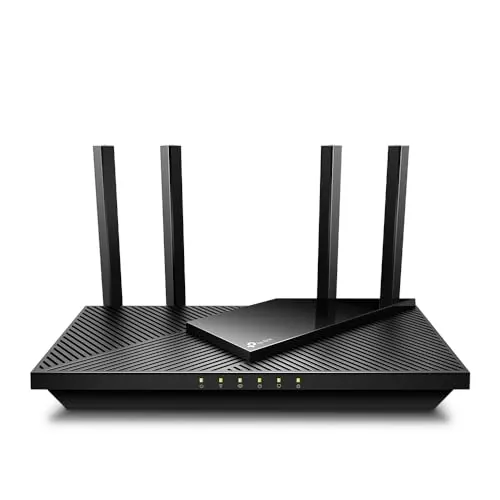
TP-Link AC1900 WiFi Range Extender RE550
- Strong Wi‑Fi range extension for reducing dead zones in larger homes
Comparison
The TP-Link RE550 and TP-Link Tapo C100 target different smart-home needs: the RE550 extends Wi‑Fi coverage, while the C100 adds indoor video monitoring and alerts. Choose the RE550 if dead zones and weak signal are your main issue, or the C100 if you want affordable indoor security, baby monitoring, or pet check-ins. Reliability feedback is generally steadier for the extender, while the camera has more mixed reports about staying connected.
#1 Overall Winner
Contender
Pick the TP-Link RE550 if you need to eliminate Wi‑Fi dead zones, want dual-band flexibility, or need a wired Ethernet connection in a weak-signal area. Pick the Tapo C100 if you want an inexpensive indoor camera with 1080p video, night vision, two-way audio, and local microSD recording. For households with both issues, improving Wi‑Fi coverage first can also help camera stability.
Overall winner
Depends on your needs
| Feature | TP-Link AC1900 WiFi Range Extender RE550 | TP-Link Tapo 1080P Indoor Security Camera (Tapo C100) | Winner |
|---|---|---|---|
| Category / purpose | Wi‑Fi range extender / access point | Indoor security camera | Depends |
| Primary benefit | Expands Wi‑Fi into dead zones | Live view + alerts + recording | Depends |
| Wi‑Fi bands supported | 2.4GHz + 5GHz (dual-band) | 2.4GHz Wi‑Fi | TP-Link AC1900 WiFi Range Extender RE550 |
| Ethernet support | Gigabit Ethernet port (1) | Not specified | TP-Link AC1900 WiFi Range Extender RE550 |
| Access Point mode | Yes (AP mode) | No (not specified) | TP-Link AC1900 WiFi Range Extender RE550 |
| Video quality | Not applicable | 1080p (H.264, 15 fps) | TP-Link Tapo 1080P Indoor Security Camera (Tapo C100) |
| Night vision | Not applicable | Up to 30 ft (IR) | TP-Link Tapo 1080P Indoor Security Camera (Tapo C100) |
| Two-way audio / siren | Not applicable | Two-way audio + built-in siren | TP-Link Tapo 1080P Indoor Security Camera (Tapo C100) |
| Storage options | Not applicable | microSD up to 512GB + optional cloud | TP-Link Tapo 1080P Indoor Security Camera (Tapo C100) |
| Smart assistant support | Not specified | Alexa + Google Assistant | TP-Link Tapo 1080P Indoor Security Camera (Tapo C100) |
| Setup methods | WPS, app, browser UI | App setup | Tie |
| Reported connectivity stability | Generally strong, some mesh-compatibility issues mentioned | Mixed; some report Wi‑Fi dropouts | TP-Link AC1900 WiFi Range Extender RE550 |
| Footprint / placement | Plug-in extender (wall outlet) | Small camera with wall-mount option | Depends |
| Best use in a smart home | Improves Wi‑Fi reliability for devices | Adds monitoring and alerts | Depends |
| Value focus | Low-cost way to extend coverage | Low-cost indoor camera with local storage option | Tie |
For everyday home use, the RE550 is a “background” upgrade that aims to keep everything connected—phones, TVs, consoles, and smart devices—especially in rooms far from the router. The Tapo C100 is more of an “active” device you interact with for live viewing, alerts, and playback. If your household annoyances are buffering and weak signal, the RE550 is the more direct fix; if your concern is checking in on a baby, pets, or rooms while away, the C100 is the better fit.
For their intended purposes, both perform well when conditions are right. The RE550 is well-suited to extending Wi‑Fi coverage and is often reported to improve usability in dead spots; however, extender setups typically reduce throughput compared with connecting directly to the router, so placement and expectations matter. The Tapo C100 delivers strong core indoor camera performance (clear 1080p video and workable night vision), but performance can be undermined for some users by Wi‑Fi dropouts or occasional recording interruptions, which matter more when you rely on alerts and playback.
The RE550’s reliability tends to hinge on placement and the reality that extender links can reduce throughput, but buyer feedback frequently reports stable day-to-day connections once configured. Some users mention limitations or confusion around mesh compatibility and roaming behavior, which can affect consistency in more complex networks. The Tapo C100 shows a wider spread: many users report solid performance, but there are repeated mentions of Wi‑Fi disconnects and occasional recording interruptions. For “set it and forget it” stability, the RE550 appears less risky.
The Tapo C100 is the only security/monitoring product here, offering indoor video, night vision, event notifications, and two-way audio with a siren. The RE550 does not provide monitoring, but it can indirectly support security devices by improving Wi‑Fi reach to cameras or doorbells in weak-signal areas. For actual surveillance and alerts, the C100 is the clear choice; for strengthening the network those devices rely on, the RE550 is the relevant tool.
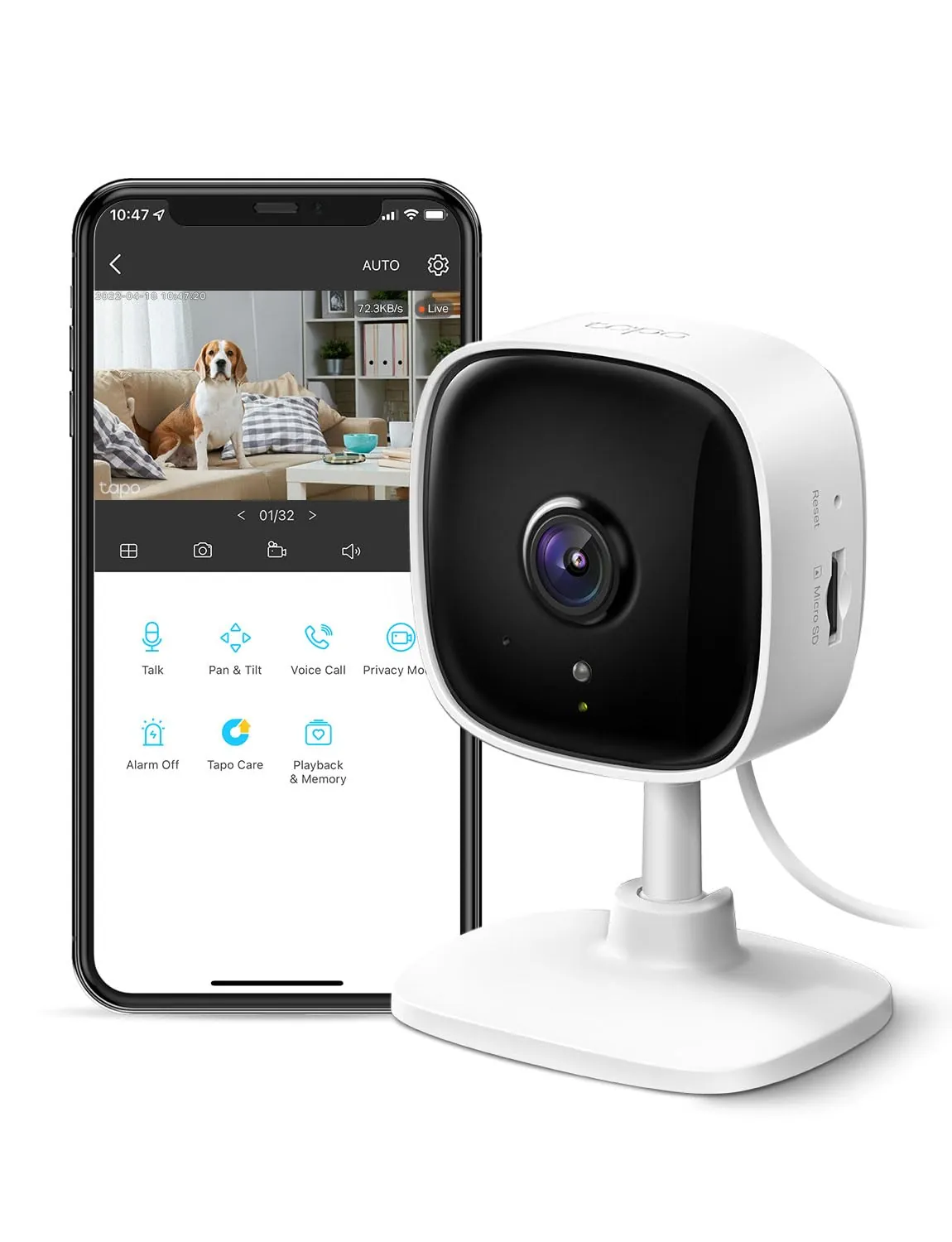
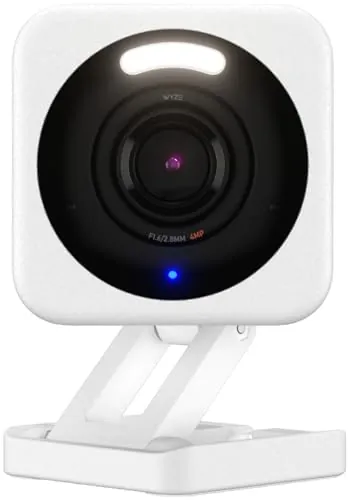
The Tapo C100 is the only product here with true monitoring capability. It provides 1080p video, night vision, motion-based notifications, and two-way audio, plus the option of local microSD recording or cloud storage. Its 110° field of view suits single-room coverage, and reviews often praise image clarity. The main trade-off is reliability variance: some users report it doesn’t stay connected to Wi‑Fi or that recordings can be briefly interrupted, which can reduce confidence for critical monitoring.
Neither product presents the same safety considerations as heating or cooking appliances, but there are still practical points. The RE550 is an always-on plug-in device; safe use mainly means keeping it in a ventilated spot, avoiding overloaded power strips, and placing it where it won’t be bumped loose. The Tapo C100 is corded and may be used in nurseries or bedrooms, so tidy cable routing and secure placement/mounting matter to reduce tugging or falls. Since the C100 isn’t water resistant, it should stay away from sinks, bathrooms, and damp areas.
The RE550 can improve “home comfort” indirectly by reducing Wi‑Fi frustration—fewer dead zones can mean smoother streaming, steadier video calls, and fewer smart device dropouts. The Tapo C100 improves peace of mind by letting you check on a baby, pet, or room remotely, with night vision and quick alerts. If your stress comes from unreliable connectivity, the extender brings more day-to-day comfort; if your stress is about not being able to see what’s happening in a room, the camera helps more.
Both are generally beginner-friendly. The RE550 can be paired quickly (including WPS) and managed through the Tether app or a browser interface, which helps if you want more settings. The Tapo C100 is typically a fast app setup with simple daily use for live view and alerts. In both cases, the biggest ease-of-use factor is placement: extenders need a good mid-point to the router, and cameras need a strong 2.4GHz signal where they’re mounted.
The RE550 is a larger wall-plug style extender with external antennas, which can be visually obvious and may block nearby outlets depending on your socket layout. The Tapo C100 is a small bullet-style camera that can sit on a surface or be wall mounted, making it easier to place discreetly in a corner with a good viewing angle. For clean placement in living areas, the camera is usually easier to “hide,” while the extender is limited to where you have an outlet with good signal.
“Capacity” looks different for these products. The RE550 is specified for broad coverage area and multi-device use, aiming to extend Wi‑Fi across larger parts of a home. The Tapo C100’s capacity is more about capturing a single room view (110° field of view) and storing footage via microSD or cloud. If your “capacity” need is serving more devices and more square footage, the RE550 aligns better; if it’s monitoring one space well, the C100 is the fit.
The Tapo C100 is highly space-efficient because it can sit on a small surface or mount to a wall, taking up minimal room space. The RE550 doesn’t take countertop or shelf space, but it occupies a wall outlet area and may affect adjacent sockets depending on layout. In tight rooms with limited outlets, the camera may be easier to place neatly, while the extender may require more trial-and-error to find an outlet that provides good coverage without causing clutter.
Both products are effectively silent in normal use because they don’t have large motors or fans. The RE550 is a networking device with no typical audible output. The Tapo C100 can produce audio through its speaker (two-way talk and siren), which is intentional rather than “noise.” If you need a quiet bedroom setup, neither should be disruptive unless you actively use the camera’s siren or speaker.
The RE550 installation is mostly about finding the right outlet location: close enough to the router for a strong link, but far enough to meaningfully extend coverage. Setup can be done via WPS, app, or a browser interface. The Tapo C100 installation involves choosing a viewing angle, deciding on surface placement vs wall mount, and routing the power cable; app setup is usually quick. Neither requires specialized tools, but the camera’s mounting is more physical, while the extender’s setup is more about signal placement.
The RE550’s plug-in extender build is designed for stationary use and users often describe it as solidly made, though it’s still a lightweight plastic networking device that depends on outlet fit and careful placement. The Tapo C100 has a compact plastic housing and includes mounting hardware, but it’s intended for indoor use and isn’t water resistant. If you expect frequent handling or repositioning, the RE550’s outlet-based design may feel more “set and forget,” while the camera’s mount and cable routing become the practical durability points.
Both devices are lightweight indoor electronics, so durability is mostly about long-term stability and how often you need to restart or reconfigure them. The RE550 is designed to stay plugged in and managed over time, with firmware updates available via the app. The Tapo C100 is also meant for continuous use, and some long-term owners report it lasting for years, but durability can feel lower if connectivity issues force frequent troubleshooting. Cable routing and secure mounting also affect camera longevity.
The RE550 is low-maintenance: once placed well, upkeep is mainly occasional firmware updates and checking that it still sits in an area with strong router signal. The Tapo C100 requires a bit more ongoing attention if you use recording—managing a microSD card, adjusting detection sensitivity, and keeping the app updated. If you subscribe to cloud storage, you may also want to monitor plan settings across devices. For hands-off upkeep, the extender is typically easier.
The RE550 is easy to move between outlets and can be repositioned as your needs change, which is useful for troubleshooting dead zones or seasonal use (for example, improving coverage near a patio). The Tapo C100 is compact, but portability depends on power access and whether it’s mounted with screws. If you expect to move the device often, the extender is generally simpler to relocate; the camera is easiest to move when used on a shelf rather than mounted.
The RE550’s features focus on networking: dual-band concurrent mode, a Gigabit Ethernet port, AP mode, EasyMesh compatibility, and controls like access control and LED management. The Tapo C100’s features focus on monitoring: motion/person/baby-cry alerts, two-way audio, a siren, night vision, and multiple storage routes (microSD or optional cloud). If you want home network tools and wired options, the RE550 is stronger; if you want app-driven monitoring features and recording, the C100 offers more.
The RE550 uses TP-Link’s Tether app for setup and management (with a browser interface option for deeper configuration). The Tapo C100 uses the Tapo app for live viewing, notifications, and playback, and buyers often describe it as user-friendly. The main practical difference is dependency: if the camera has app playback or recording glitches, it affects daily use more directly. For both products, app setup tends to be straightforward, but results can vary with network conditions.
In a smart home, the RE550’s value is network stability: better coverage can reduce dropouts for Wi‑Fi-dependent devices and can add a wired connection for a single device via Ethernet. The Tapo C100 contributes smart-home functionality more directly with Alexa and Google Assistant support for live viewing, plus app alerts and optional cloud services. If you want more smart-home “features,” the camera offers more; if you want the smart home to stay connected, the extender can be the bigger practical improvement.
The RE550 supports smart-home households mainly by strengthening the Wi‑Fi foundation and enabling smoother roaming when used with compatible EasyMesh routers. It also adds flexibility with AP mode and an Ethernet port for stationary devices. The Tapo C100 is more “smart” in the ecosystem sense, working with Alexa and Google Assistant for live viewing and using app-based alerts and recording. If you want automation-style features and voice viewing, the camera is stronger; if you want fewer device dropouts across the home, the extender matters more.
The RE550’s “automation” is mostly network behavior, such as helping devices stay connected to stronger signals when used in a compatible EasyMesh setup. The Tapo C100 offers more user-facing automation through detection-based notifications and the ability to set recording times in the app. If you want event-driven alerts and scheduled recording, the camera is the better match. If you want automatic roaming behavior on a home network, the extender is more relevant.
Connectivity is central to both, but in different ways. The RE550 supports dual-band Wi‑Fi and adds a Gigabit Ethernet port, which can be a major advantage for stable connectivity to a single device or for AP mode. The Tapo C100 connects over 2.4GHz Wi‑Fi and relies on that link for live viewing, alerts, and cloud features. Buyer feedback on the camera’s connection stability is mixed, while the extender is more consistently described as improving connectivity when placed correctly.
Neither product is primarily an energy-saving device, and efficiency is mostly about how they operate in daily use. The RE550 can be efficient in the sense that it may reduce the need for repeatedly reconnecting devices in weak-signal areas, and its Ethernet/AP mode can be a direct, stable way to serve a location with a wired feed. The Tapo C100’s efficiency is tied to how reliably it stays connected and records without interruptions; mixed reports suggest results can vary by Wi‑Fi environment.
Privacy concerns are more relevant to the Tapo C100 because it captures indoor video and can use cloud storage. If you want to minimize data exposure, using a microSD card for local recording can reduce reliance on cloud storage, though you still manage it via an app account. The RE550 doesn’t record content, but it is a network device with app/cloud management features, so keeping firmware updated and using strong Wi‑Fi passwords and access control settings is sensible for either setup.
Both products are priced as budget-friendly upgrades, and value depends on the problem you’re solving. The RE550 tends to deliver strong value if it eliminates dead zones and prevents dropouts for multiple devices, especially since it adds a Gigabit Ethernet option and AP mode. The Tapo C100 is strong value for indoor monitoring, with a low entry price and the option to avoid monthly fees using a microSD card—though cloud subscriptions can raise long-term costs, especially with multiple cameras. If connectivity is your bottleneck, the extender’s value can be felt across the whole household.
Both devices come from TP-Link, and both have very large review counts with generally positive ratings, which suggests broad adoption. The RE550’s positioning includes a stated security-focused development pledge, while the Tapo C100’s trust considerations are more about software reliability and ongoing app support because it’s a camera. In practice, the biggest “trust” difference is that the camera’s usefulness depends more heavily on app stability and consistent Wi‑Fi connectivity.
Both products show strong overall buyer sentiment with high review volumes. RE550 feedback often highlights easy setup and meaningful improvement in coverage and usability, with some mention of mesh compatibility behavior not meeting expectations in certain ecosystems. Tapo C100 feedback frequently praises image clarity, quick setup, and value, plus the flexibility of local microSD storage; however, it also has more mixed comments about staying connected to Wi‑Fi and occasional playback/recording interruptions. If you’re sensitive to dropouts, those mixed camera reports are worth weighing.
There isn’t a single winner because these products serve different needs, but the TP-Link RE550 is the more universally useful “infrastructure” upgrade if your home struggles with dead zones and inconsistent connections. Its main strength is improving coverage with dual-band support plus a Gigabit Ethernet/AP mode option; its main limitation is the typical extender trade-off of reduced throughput versus a direct router connection and occasional mesh-behavior caveats.
The Tapo C100 is the better pick for indoor security, baby monitoring, or pet check-ins, with clear 1080p video, night vision, two-way audio, and flexible storage. Its biggest drawback is mixed reliability feedback around Wi‑Fi stability and occasional recording interruptions. If you can only buy one, choose based on whether your bigger problem is connectivity or visibility.

Overall winner
Depends on your needs
They do different jobs. The TP-Link RE550 is for extending Wi‑Fi coverage into dead zones and can also act as a wired access point using its Ethernet port. The Tapo C100 is for indoor monitoring with 1080p video, night vision, alerts, and optional local or cloud recording. Choose based on whether you need better Wi‑Fi reach or indoor security/baby monitoring.
The RE550 is designed to improve coverage and connection reliability where your router signal is weak. It typically won’t increase speeds beyond what your main router provides, and extender links can reduce throughput compared with being connected directly to the router. In practice, many users see smoother streaming and fewer dropouts in previously weak areas.
No. The Tapo C100 supports local recording to a microSD card (sold separately), which can avoid monthly fees for basic recording. TP-Link also offers an optional cloud plan (Tapo Care) for features like cloud video history and additional benefits. If you add multiple cameras, subscription costs may apply per device depending on the plan.
Both are generally described as easy to set up, but the experience differs. The RE550 can pair via WPS and can be configured with the Tether app or a browser interface, which helps if you want deeper settings. The Tapo C100 is typically a quick app-based setup with straightforward mounting. Either can be slowed down by Wi‑Fi placement issues.
If you mean voice assistant integration and live viewing, the Tapo C100 is the clearer fit because it works with Alexa and Google Assistant. The RE550 supports EasyMesh-compatible roaming with compatible routers and can help smart home devices stay connected by improving Wi‑Fi coverage, but it’s not a voice-assistant device itself.
For the RE550, the biggest practical limitation is that extenders can reduce throughput and may not behave perfectly in every mesh-like setup, depending on your router ecosystem. For the Tapo C100, buyer feedback is more mixed on reliability, with some reporting Wi‑Fi dropouts or occasional recording interruptions. Strong Wi‑Fi coverage helps both devices.
In small spaces, you may not need a range extender unless you have thick walls or an awkward router location; if you do, the RE550 can target a specific dead zone. The Tapo C100 is very compact and works well for single-room monitoring (nursery, living room, study). The best choice depends on whether your main pain point is coverage or visibility.
Yes, it’s commonly used that way. It offers live viewing, motion alerts, two-way audio, and night vision for monitoring a nursery or checking on pets. It can also send alerts for detected events through the app. Keep in mind it relies on stable 2.4GHz Wi‑Fi, and some users report connection issues in certain homes.
Check our rankings and expert guides to find the best home lifestyle products for your goals.